Why does Google Play Store show “This item isn't available in your country” after searching for an app? Problem Example:
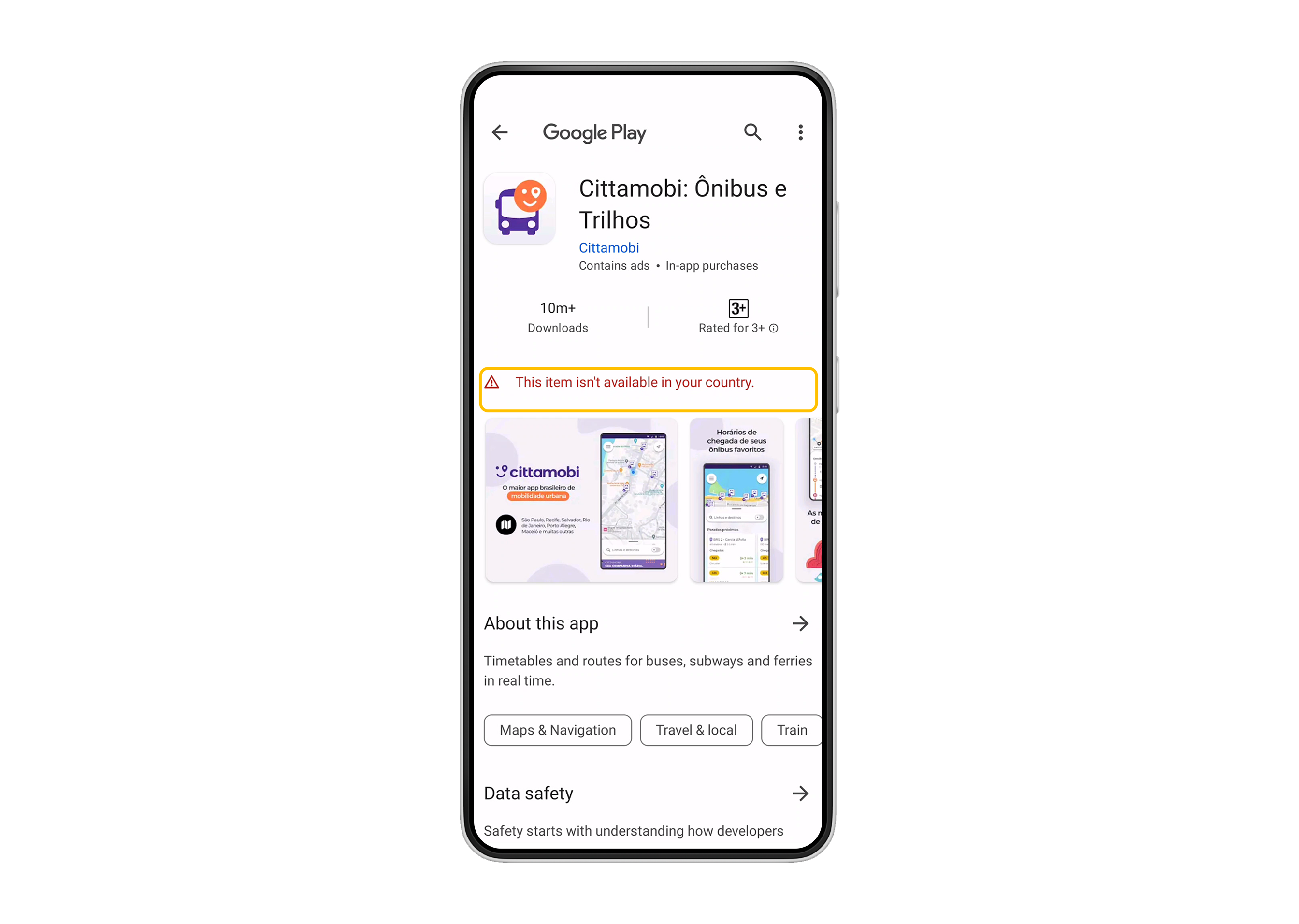
In most cases, this is due to a mismatch between your Google account and the region where your app is published. We suggest you check your region using the following steps:
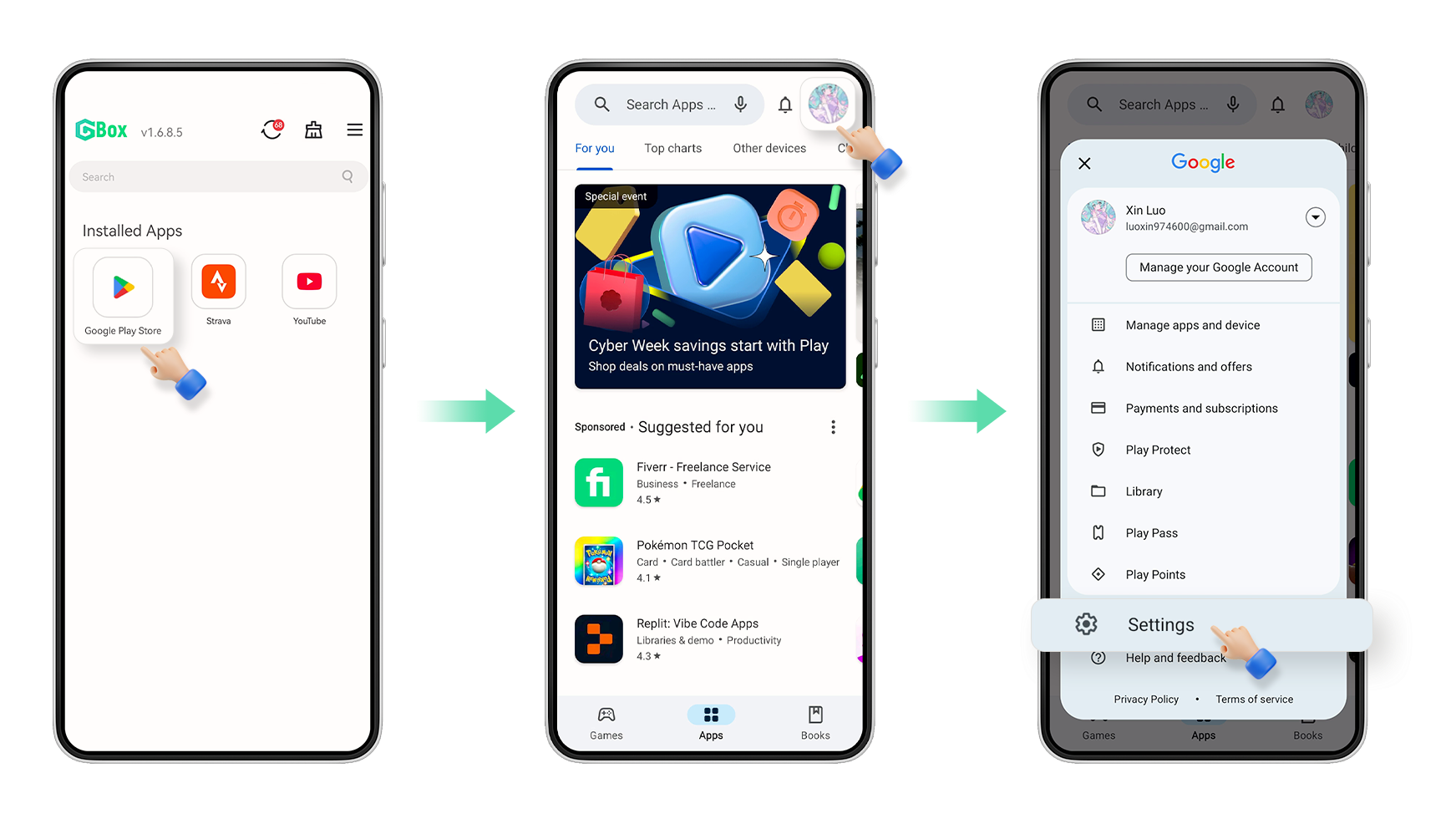
1. Tap "Google Play," tap your account icon, and tap "Settings."
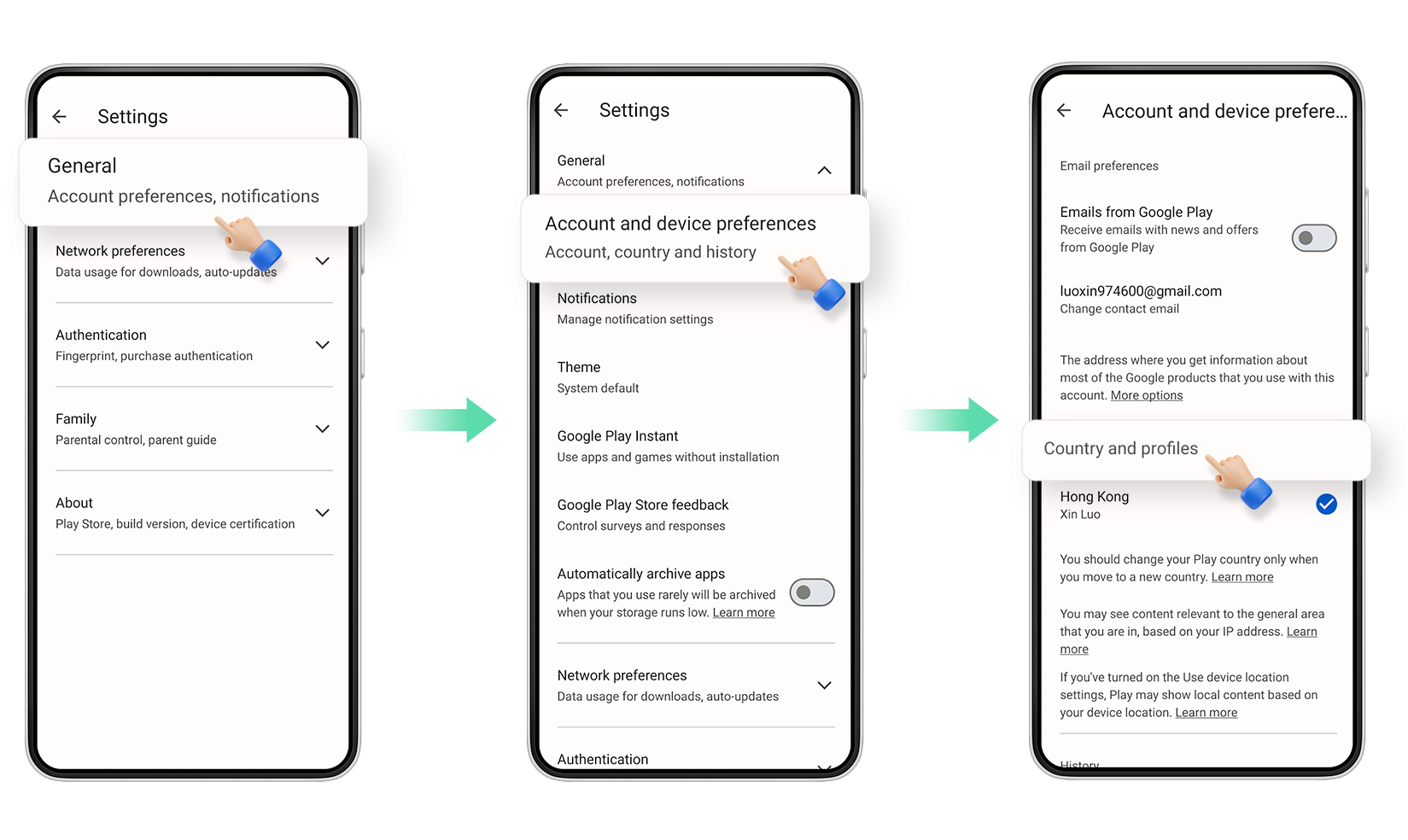
2. Tap "General," then tap "Account and device preferences" to view your region.
We suggest you register a new Google account in a region supported by the app to download it.